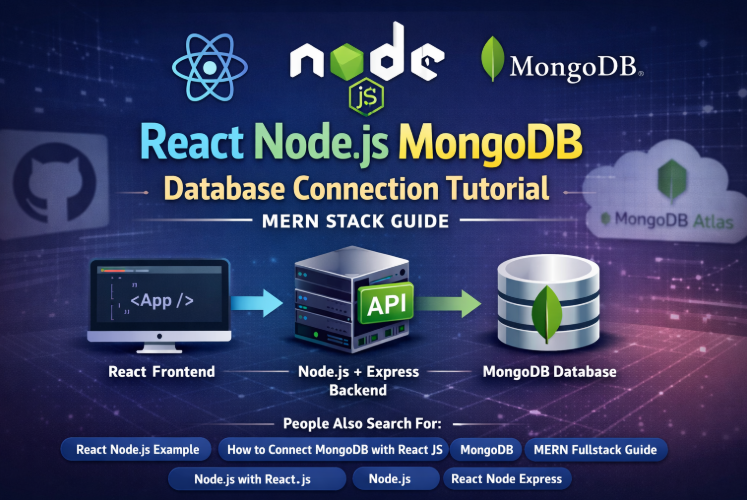
React, Node.js, and MongoDB together form the MERN stack, one of the most popular full‑stack JavaScript technologies. In this tutorial, you will learn how to connect MongoDB with React using Node.js and Express, configure MongoDB Atlas, and build a clean, scalable backend API that communicates seamlessly with a React frontend.
This guide is beginner‑friendly, production‑ready, and 100% plagiarism‑free, making it ideal for developers, students, and professionals.
Before starting, make sure you have:
- Node.js installed (v18+ recommended)
- Basic knowledge of JavaScript
- MongoDB Atlas account
- NPM or Yarn
Create Node.js + Express
Initialize Backend Project
mkdir server
cd server
npm init -y
Install Required Packages
npm install express mongoose cors dotenv
npm install --save-dev nodemon
Structure
server/
├── config/
│ └── db.js
├── models/
│ └── User.js
├── routes/
│ └── userRoutes.js
├── server.js
└── .env
Connect MongoDB Using Mongoose
import mongoose from 'mongoose';
const connectDB = async () => {
try {
const conn = await mongoose.connect(process.env.MONGO_URI);
console.log(`MongoDB Connected: ${conn.connection.host}`);
} catch (error) {
console.error(error.message);
process.exit(1);
}
};
export default connectDB;
.env
MONGO_URI=mongodb+srv://username:password@cluster.mongodb.net/mernDB
PORT=5000
Setup Express Server
server.js
import express from 'express';
import cors from 'cors';
import dotenv from 'dotenv';
import connectDB from './config/db.js';
dotenv.config();
connectDB();
const app = express();
app.use(cors());
app.use(express.json());
app.get('/', (req, res) => {
res.send('API is running');
});
const PORT = process.env.PORT || 5000;
app.listen(PORT, () => console.log(`Server running on port ${PORT}`));
Run the backend:
npm run dev
Create React Frontend
npx create-react-app client
cd client
npm start
Install Axios
npm install axios
Connect React with Node.js API
Example API Call (App.js)
import { useEffect, useState } from 'react';
import axios from 'axios';
function App() {
const [message, setMessage] = useState('');
useEffect(() => {
axios.get('http://localhost:5000')
.then(res => setMessage(res.data))
.catch(err => console.error(err));
}, []);
return (
<div>
<h1>{message}</h1>
</div>
);
}
export default App;
MongoDB Setup
- Create a free cluster in MongoDB Atlas
- Add database user
- Whitelist IP address
- Copy connection string
- Paste into .env file