
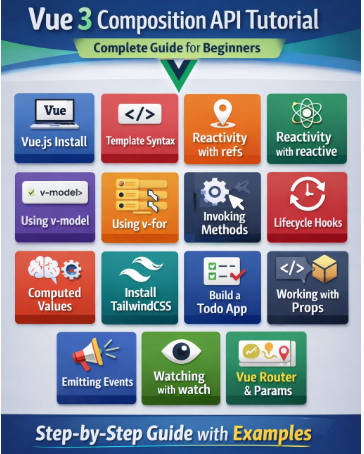
This tutorial walks you through Vue 3 using the Composition API, from setup to building a small app and routing.
Vue.js Installation
Using Vite (Recommended)
npm create vite@latest vue3-app
cd vue3-app
npm install
npm run dev
Choose Vue when prompted.
Project Structure (Important Files)
- main.js – App bootstrap
- App.vue – Root component
- components/ – Reusable components
Template Syntax
Vue templates use HTML-based syntax.
<template>
<h1>{{ title }}</h1>
<p v-if="isActive">Active</p>
</template>
Common directives:
- v-if, v-else
- v-show
- v-bind or :
- v-on or @
Reactivity with ref
Use ref() for primitive values.
<script setup>
import { ref } from 'vue'
const count = ref(0)
const increment = () => {
count.value++
}
</script>
<template>
<button @click="increment">{{ count }}</button>
</template>
Access value using .value.
Reactivity with reactive
Use reactive() for objects and arrays.
<script setup>
import { reactive } from 'vue'
const user = reactive({
name: 'Milon',
age: 25
})
</script>
<template>
<p>{{ user.name }} - {{ user.age }}</p>
</template>
Using v-model
Two-way data binding.
<script setup>
import { ref } from 'vue'
const name = ref('')
</script>
<template>
<input v-model="name" />
<p>{{ name }}</p>
</template>
Using v-for
Loop through lists.
<script setup>
import { ref } from 'vue'
const items = ref(['Vue', 'React', 'Angular'])
</script>
<template>
<ul>
<li v-for="(item, index) in items" :key="index">
{{ item }}
</li>
</ul>
</template>
Invoking Methods
<script setup>
const sayHello = () => {
alert('Hello Vue 3!')
}
</script>
<template>
<button @click="sayHello">Click Me</button>
</template>
Lifecycle Hooks
Common hooks:
- onMounted
- onUpdated
- onUnmounted
<script setup>
import { onMounted } from 'vue'
onMounted(() => {
console.log('Component Mounted')
})
</script>
Computed Values
Used for derived state.
<script setup>
import { ref, computed } from 'vue'
const price = ref(100)
const tax = computed(() => price.value * 0.15)
</script>
<template>
<p>Tax: {{ tax }}</p>
</template>
Install Tailwind CSS in Vue 3
npm install -D tailwindcss postcss autoprefixer
npx tailwindcss init -p
Update tailwind.config.js:
content: ['./index.html', './src/**/*.{vue,js}']
Add to main.css:
@tailwind base;
@tailwind components;
@tailwind utilities;
Creating a Todo App
<script setup>
import { ref } from 'vue'
const newTodo = ref('')
const todos = ref([])
const addTodo = () => {
if (newTodo.value) {
todos.value.push(newTodo.value)
newTodo.value = ''
}
}
</script>
<template>
<input v-model="newTodo" class="border p-2" />
<button @click="addTodo" class="ml-2">Add</button>
<ul>
<li v-for="(todo, i) in todos" :key="i">{{ todo }}</li>
</ul>
</template>
Working with Props
Parent
<ChildComponent title="Hello Vue" />
Child
<script setup>
defineProps({
title: String
})
</script>
Emitting Events
<script setup>
const emit = defineEmits(['update'])
const sendData = () => {
emit('update', 'New Data')
}
</script>
Watching with watch
<script setup>
import { ref, watch } from 'vue'
const count = ref(0)
watch(count, (newVal, oldVal) => {
console.log(newVal, oldVal)
})
</script>
Working with Vue Router
Install Router
npm install vue-router
router/index.js
import { createRouter, createWebHistory } from 'vue-router'
import Home from '../views/Home.vue'
export default createRouter({
history: createWebHistory(),
routes: [
{ path: '/', component: Home }
]
})
Working with Route
{ path: '/user/:id', component: User }
<script setup>
import { useRoute } from 'vue-router'
const route = useRoute()
console.log(route.params.id)
</script>