
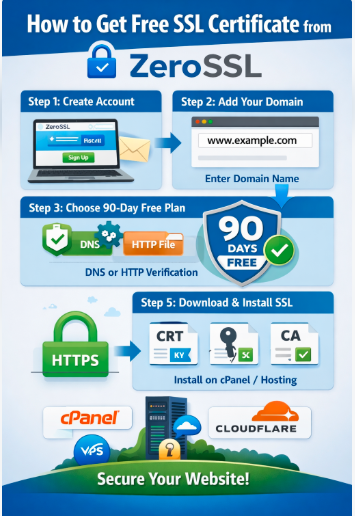
Get Free SSL Using ZeroSSL Website
Create Account
- Go to: https://zerossl.com
- Click Sign Up
- Create free account & verify email
Add Your Domain
- Click New Certificate
- Enter your domain:
example.com
www.example.com
- Click Next Step
Choose 90 Days Free Plan
- Select 90-Day Certificate (Free)
- Click Next
Domain Verification (Very Important)
You will see 3 verification options:
Option A: DNS (Recommended)
- Add a TXT record in your domain DNS
- Login to your hosting or domain provider (cPanel/Cloudflare)
- Add TXT record provided by ZeroSSL
- Wait 5–10 minutes
- Click Verify
Option B: HTTP File Upload
- Download verification file
- Upload it to:
public_html/.well-known/pki-validation/
- Then click Verify
Download SSL Certificate
After verification:
- Download:
- Certificate.crt
- ca_bundle.crt
- private.key
Install SSL in cPanel (Most Common Hosting)
If you are using cPanel hosting:
- Login to cPanel
- Go to SSL/TLS
- Click Manage SSL Sites
- Select your domain
- Paste:
- Certificate (CRT)
- Private Key (KEY)
- CA Bundle (CABUNDLE)
- Click Install Certificate